
Using RecipePT
Instagram recipe won’t import? Paste the written recipe on iPhone.
A failed link does not have to mean losing the recipe. If the creator provides the written ingredients and directions, you can try importing that text and reopen the result in Recipes.
How can I save the recipe if the Instagram link won’t import?
If an Instagram recipe link will not import, use the creator’s complete written ingredients and directions instead. In RecipePT on iPhone, open Recipes, tap Import, paste the text into Recipe source, then tap Import. Compare the saved ingredients and steps with the original before cooking. Recipe import requires RecipePT Pro.
What we tested: the written-text route below, using a public-domain recipe. We did not test an Instagram post or social-link import for this walkthrough. Screenshots show RecipePT 1.6.0 (207) beta on iOS Simulator; your released app may look different.
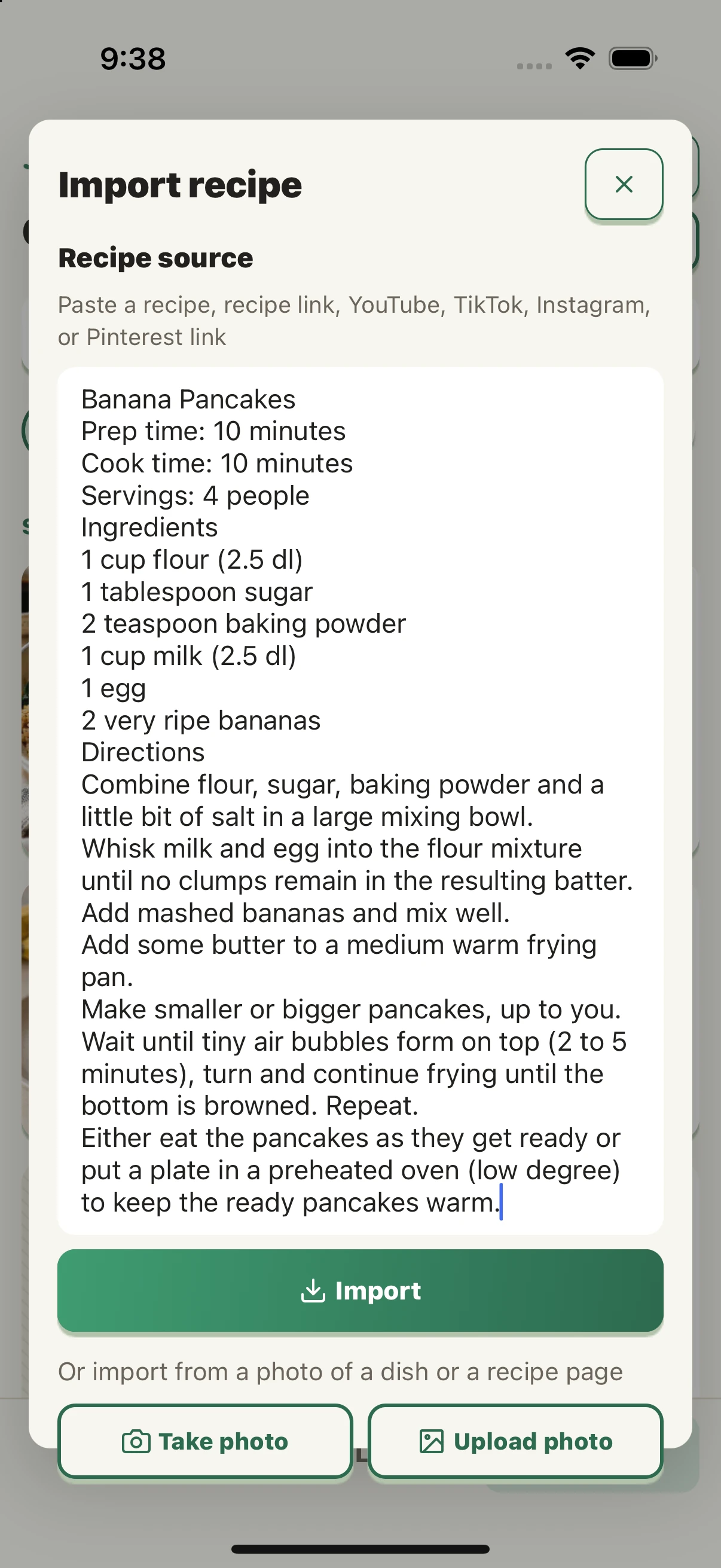
1. Complete recipe text
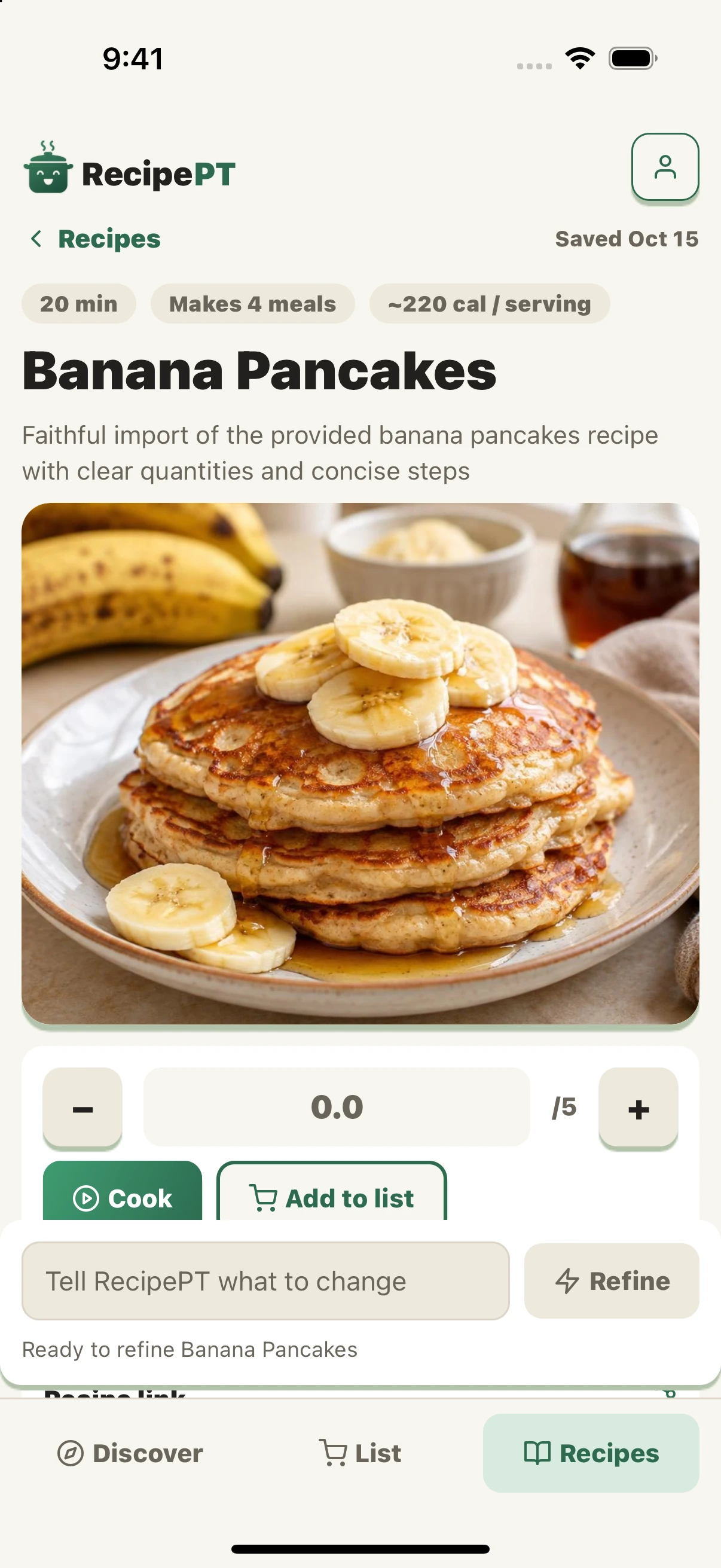
2. Saved in Recipes
What text should I paste?
Use the recipe title, ingredient quantities, servings if given, and the full method. Start with the creator’s linked written recipe, or caption text you can actually select. If the caption is not selectable, open the creator’s recipe page or transcribe the visible recipe. Copying an Instagram caption is not always available in the app.
A caption that only says “my favorite pancakes” is not the recipe. If the ingredients or quantities exist only in the video, this text workaround cannot recover them. Ask the creator for the written version rather than treating missing details as known.
How do I import the written recipe on iPhone?
- Open RecipePT and tap Recipes. Tap Import next to “Choose a recipe.”
- Paste the complete text into Recipe source. For this test, we supplied the written recipe without a URL, so the app used the text rather than fetching a webpage.
- Tap Import and wait for the result. The dialog showed “Importing” before the saved recipe opened.
- Check the result against the source. Review quantities, servings and the method before using it to cook or shop.
- Find it again in Recipes. Search the recipe name and open it. We returned to Recipes, searched “Banana Pancakes,” and reopened the new item with “Saved Oct 15.”
Recipe import is a Pro feature. If access is locked, review the subscription or trial terms shown in the app before deciding whether to continue.
Did the imported recipe match the original?
We used Banana Pancakes, contributed by Ricky Lindén to Public Domain Recipes. The site identifies its recipes as public domain and licenses reuse under the Unlicense. It gives us a complete, permission-cleared text example without republishing another creator’s social post.
The import produced eight ingredient entries and six numbered steps. We checked these through the app’s accessibility text. Some details were supplied by the app rather than copied from the source.
On a narrow screen, swipe the table sideways to see all three columns.
| Check | Written source | Observed beta result |
|---|---|---|
| Main quantities | 1 cup each flour and milk; 1 tablespoon sugar; 2 teaspoons baking powder; 1 egg; 2 bananas | Those counts and quantities were retained. |
| Salt and butter | “A little bit of salt” and “some butter” in the method, with no measured amounts | Added as 0.25 teaspoon salt and 1 tablespoon butter. These are app-supplied amounts. |
| Ingredient size | No egg or banana size specified | Specified 1 large egg and 2 large bananas. The sizes are additions. |
| Method and yield | 4 people; flip after bubbles form in 2 to 5 minutes; optional low-oven holding | 4 meals; the bubble cue and low-oven option remained in six rewritten steps. |
The displayed calories, individual step durations and food image were not verified against a cooked result. A neat recipe card is useful organization; it is not proof that every added detail came from the creator.
Where does the saved recipe go?
Into your own Recipes library. Importing is for saving a recipe privately, not publishing it to a social feed. In this text-only test, the result did not display an original-source link. Keep the creator’s URL separately so you can return to their recipe and check any uncertainty.
If you want the broader link and share-sheet options, see our guide to importing Instagram recipes. This fallback is for the moment when the link has failed but you still have the written recipe.