
AI dinner apps
Recipe Apps That Skip the Life Story and Just Give You the Recipe
Quick answer: Use JustTheRecipe when you have one URL and want the ingredients now. Choose Paprika to build a durable recipe library, or Mela for a clean Apple-native cooking workflow. Choose RecipePT when you still need help deciding what to cook. The best app depends on what you possess before the story becomes a problem.
“Skip the life story” sounds like one request, but it hides four different jobs. You may want to clean up one page, keep a clean copy forever, follow steps without touching a cluttered browser, or avoid searching for a recipe in the first place. Ranking every app together would hide the decision that matters, so these picks start one step earlier: what do you already have?
Is there a recipe app that skips the story and ads?
Yes. JustTheRecipe extracts one page, Paprika saves clean recipes into a long-term collection, Mela combines extraction with an Apple-focused cook mode, and RecipePT can turn a shared link or post into a saved recipe. None is best at every job. Start with the material already in your hand.
The current search results are crowded with new tools making nearly identical promises: paste a link, remove the pop-ups, keep the ingredients and directions. That promise is useful, but it is not enough to pick a product. Ask what should happen after the clean card appears. If the answer is “nothing, I am cooking it once,” you need a lightweight extractor. If the answer is “find it again next month,” you need a manager. If the answer is “tell me when it fits,” you need memory and decision support.
Also try the obvious zero-install option first: the publisher's Jump to Recipe button. A working jump link solves the immediate scroll without copying anything into another service. The story may hold substitutions, technique, or provenance you want later. The clean view is for execution, not a claim that every sentence before the ingredient list was worthless.
What is the fastest option when you already have one recipe link?
JustTheRecipe is the most direct choice for one link. Paste or share the URL and it presents the ingredients, steps, timings, and other recipe details without the surrounding article. Its free tier handles the basic job, while unlimited saving and features such as serving adjustment belong to its Premium plan.
This is the cleanest match for the literal query because the product is built around extraction, not meal planning or recommendation. Its official description says it accepts links from a browser and social apps, then organizes saved recipes into collections. The company's current help page is also clear about the boundary between the free service and Premium rather than pretending every feature is free.
Pick it when the problem begins after you have chosen the dish. Do not pick it expecting the app to know whether tonight should be soup, tacos, or pasta. Extraction removes the page around a decision you already made. That is valuable, and it is a different job from making the decision.
Which app is best if you want to keep a clean recipe collection?
Paprika is the stronger choice when clean reading is the start of a permanent system. Its built-in browser downloads recipes from the web, then keeps them alongside categories, grocery lists, meal plans, timers, serving-scale tools, and cloud sync. Each platform version is sold separately, so price the devices you will actually use.
Paprika's strength is not merely hiding an introduction. It turns the extracted recipe into durable, editable data. According to Paprika's official feature page, the app combines duplicate grocery ingredients, sorts them by aisle, detects timers in directions, and lets you cross off ingredients while cooking. That is much more machinery than a one-off clean view, and it is worthwhile when your collection deserves a real home.
The tradeoff is the setup you asked for. A manager becomes useful after you import, categorize, and maintain recipes. If your actual behavior is opening a random link once and never looking back, that library work creates a second chore. Choose Paprika because you want the system, not because one page annoyed you tonight.
Which clean recipe app fits an Apple-centered kitchen?
Mela fits cooks who use iPhone, iPad, or Mac and want recipe discovery, extraction, and cooking in one focused Apple workflow. It previews detected recipes in its browser, accepts links through the share extension, syncs through iCloud, and offers a full-screen cook mode with larger type, focused steps, ingredient checkoffs, and timers.
Mela differs from a plain clipper because it can subscribe to recipe-blog feeds and show detected recipes in a native viewer before you add them. Its official documentation explains the practical details: iCloud syncing, shared libraries, camera scanning, a share extension, Apple Reminders for groceries, and a cook mode that can hold more than one recipe.
That makes Mela the most coherent pick here for somebody who still enjoys finding recipes from known writers but wants the reading and cooking layer cleaned up. It is not the platform-neutral answer, and it is not a dinner decider. It preserves the discovery habit, then gives the chosen recipe a more usable surface.
When should RecipePT replace the search instead of cleaning the page?
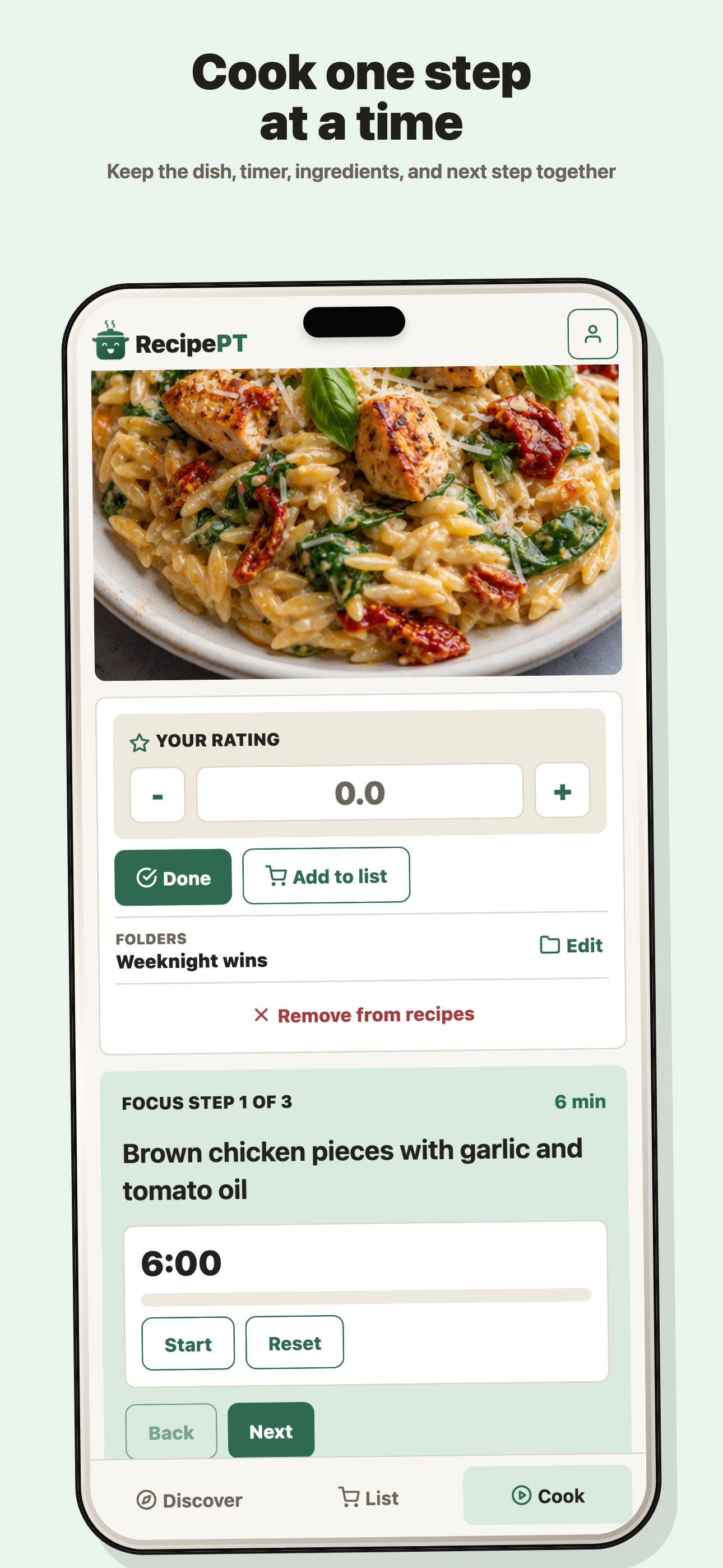
Choose RecipePT when you do not have a recipe link yet, or when saved links keep becoming a larger pile. It can start from a dinner request, surface a small set shaped by your food memory, import a link or post into ingredients and steps, and bring that saved recipe back when it fits later.
RecipePT is our app, so the limits matter. It is a paid iPhone subscription. If all you want is to clean one web page, JustTheRecipe is the more direct tool. If you want a carefully maintained archive across several platforms, Paprika is more mature. RecipePT earns its place only when the recipe should keep doing work after it is saved.
The current product accepts shared posts, pasted links, photos, and regular web pages, then keeps the source, photo, ingredients, timing, steps, and grocery-list handoff. Cooking, rating, and skipping add stronger signals, so a saved recipe can return with a reason when a future request fits. That is why the product's current promise is “Save the recipe. We remember the vibe,” not “we built another clean browser.”
If social posts are the cluttered source, the mechanics and limits are covered in our guide to a recipe app that imports from Instagram. If the larger problem is picking among many saved options, compare the broader set of apps that decide dinner.
Why can any recipe extractor miss an ingredient or step?
Extraction depends on the source. Many recipe pages publish machine-readable fields for ingredients, yield, time, and instructions, which makes a clean card straightforward. Other pages use incomplete markup, unusual formatting, or information buried in prose. Treat the original as the authority and compare it with the extracted copy before cooking anything sensitive.
Google documents the same underlying fields for recipe structured data, including recipeIngredient and recipeInstructions. An extractor can often read that data without fighting the visible layout. When the source omits a quantity, puts a substitution only in the introduction, or combines several preparations in an unconventional block, a clean interface cannot create certainty that the source never supplied.
Use a simple trust rule: extraction is a view, not a test kitchen. Compare the copy with the source before the grocery run. For baking, allergy-sensitive cooking, food-safety instructions, or a recipe whose wording looks truncated, keep the original open. Removing clutter is useful. Removing the habit of checking the source is not.
How should you choose a recipe app without the life story?
Name the object you start with. One URL points to JustTheRecipe. A growing collection points to Paprika. Favorite blogs plus an Apple kitchen point to Mela. No chosen recipe, or a saved pile that never becomes dinner, points to RecipePT. If the page's Jump to Recipe button works, install nothing.
This decision is intentionally narrower than our existing best recipe app for iPhone comparison. That guide maps five kinds of cooking failure across managers, archives, planners, ingredient search, and dinner deciders. Here the shared requirement is a clean recipe surface, and the choice turns on how much life the recipe needs after the clutter disappears.
Do not pay for a library you will not maintain. Do not choose a decider when you already know the exact dish. Do not expect a clipper to solve a blank mind. The shortest route to ingredients and steps starts by refusing to make one app responsible for four different problems.
What else should you know?
Can I get just the recipe without installing an app?
Yes. First try the page's Jump to Recipe button. If it is missing or broken, JustTheRecipe also works on the web: paste the recipe URL and read the extracted ingredients and instructions. Install an app only if you want to save the result, organize a collection, or use a dedicated cook mode.
Does a recipe app remove ads from the original website?
No. A recipe extractor creates a separate, cleaner view from the source material. It does not change the publisher's page. Keep the source link, especially when the introduction contains useful substitutions or technique notes, and return to it whenever the extracted card looks incomplete or ambiguous.
Are recipe extraction apps always accurate?
No. They work best when the source clearly labels ingredients, quantities, yield, and ordered steps. A cluttered page can still contain clean structured recipe data, but missing or unusual markup can cause omissions. Compare the extracted card with the original before shopping or cooking, especially for baking, allergies, temperatures, and food safety.
Which recipe app also helps decide what to cook?
RecipePT is the pick here when the problem begins before you have a URL. It can suggest a small set from your request and food memory, save recipes from links or posts, and bring saved recipes back when they fit. It is our paid iPhone app, not the cheapest tool for cleaning one page.
Want the saved recipe to help with dinner later?
Share a link or post to RecipePT, keep the ingredients and steps, and let what you cook shape what comes back next time. On iPhone. 1-week free trial. Cancel anytime.
Get RecipePT on iPhone