
AI dinner apps
The Best Dinner App for Picky Eaters That Lets You Say No Onions

Quick answer: Three apps take a no well, in different ways. SuperCook is the best free option: exclude any ingredient and it disappears from results. Mealime suits one fixed household dislike list. RecipePT, which we make, is built for rules that change nightly, because you type no onions on any idea instead of saving it forever.
Cooking for a picky eater is not a recipe problem. It is a constraint problem. You already know fifteen things you could make. What you need is the shorter list that survives contact with the one person at the table who will not eat onions, will not eat anything green in visible pieces, and changed their mind about peppers sometime last Tuesday. Most recipe apps answer this with a settings screen. That is only half the job.
What dinner app actually respects "no onions" and other picky-eater rules?
Three do it well, in different ways. SuperCook is the best free option: exclude any ingredient and it disappears from results. Mealime is best for one fixed household dislike list. RecipePT, which we make, is built for rules that change nightly, because you type "no onions" on any idea instead of saving it forever.
Pick between them by answering one question: is your no list stable, or does it change with whoever is eating? A family with a permanent, agreed-on set of banned foods is well served by a saved filter. A household where Tuesday means "nothing green" and Thursday means "actually she'll eat peppers if they're not chunks" needs to be able to say something different every night without editing settings first.
Why do most recipe apps fail picky eaters?
Because they only support one kind of no. Apps model exclusion as a permanent preference you set once, but picky eating is a nightly negotiation. There is a standing no, like an allergy, and tonight's no, which applies to one dinner. When an app can only store the first, you end up filtering nothing or over-filtering everything.
There is a second failure that matters more than it sounds: word matching. A filter that removes recipes containing "onion" usually will not catch onion powder, a soup mix, or a jarred sauce built on onions. For a picky kid that means a rejected plate. For a real allergy it is worse. Exclusion has to work by meaning, not by string match, and that is a genuinely hard thing for a keyword filter to do.
And the deeper issue is that filters do not decide. Removing onions from a database of a million recipes leaves you with 900,000 recipes and the same 6pm paralysis we wrote about in why dinner decision fatigue happens. Fewer wrong options is not the same as one good answer.
Which 3 apps take a no best, and how do you choose?
Choose by the shape of your constraint. Free and ingredient-first: SuperCook. One stable household dislike list with meal plans attached: Mealime. A no that changes every night, typed in plain language: RecipePT. All three take a no. They differ in whether the no is permanent, and in what you get back after it is applied.
Details below come from each app's own documentation and listing, checked July 2026.
-
SuperCook, for free exclusion on top of what you already have. SuperCook lets you exclude any ingredient from your search results, and if you are signed in those exclusions persist on the server. It is free and it works from your actual pantry, so it is the strongest no-cost answer here. The tradeoff: it is ingredient-matched search, not AI and not a decision. You still scroll. We covered where that falls down in the SuperCook alternative post.
-
Mealime, for one dislike list a whole household agrees on. You set dislikes in Settings, then Eating preferences, then Add Dislike under "Ingredients You Dislike," and Mealime stops suggesting meals that contain them. It is a clean, curated model and it pairs the filter with an actual weekly plan and grocery list. Two tradeoffs worth knowing: you pick from the app's selection rather than typing anything you want, and per Mealime's own support docs, changes do not take effect until you start your next meal plan. It is a preference, not a request for tonight.
-
RecipePT, for a no that changes nightly. Ours, so state the bias. The design choice is that a no is something you say, not something you configure. You get three dinner ideas, and on any of them you type what to change. Detail on how that actually behaves is in the next section, including the part most comparison posts get wrong.
Two honorable mentions. Samsung Food is free and has a food preferences screen covering allergies, foods to avoid and foods you dislike, so it handles the standing no well if you want a big catalog. And plain ChatGPT will absolutely respect "no onions" in the moment, it just forgets between chats, which is the whole reason we wrote about ChatGPT not remembering your preferences.
How does RecipePT handle "no onions" specifically?
Type it into the refine box on any idea and it becomes a hard exclusion for that request, not a permanent setting. Saying "always avoid onions" or "remember I can't eat shellfish" is what saves it to your profile as a standing rule. The split is deliberate: tonight's no should not silently become a forever no.
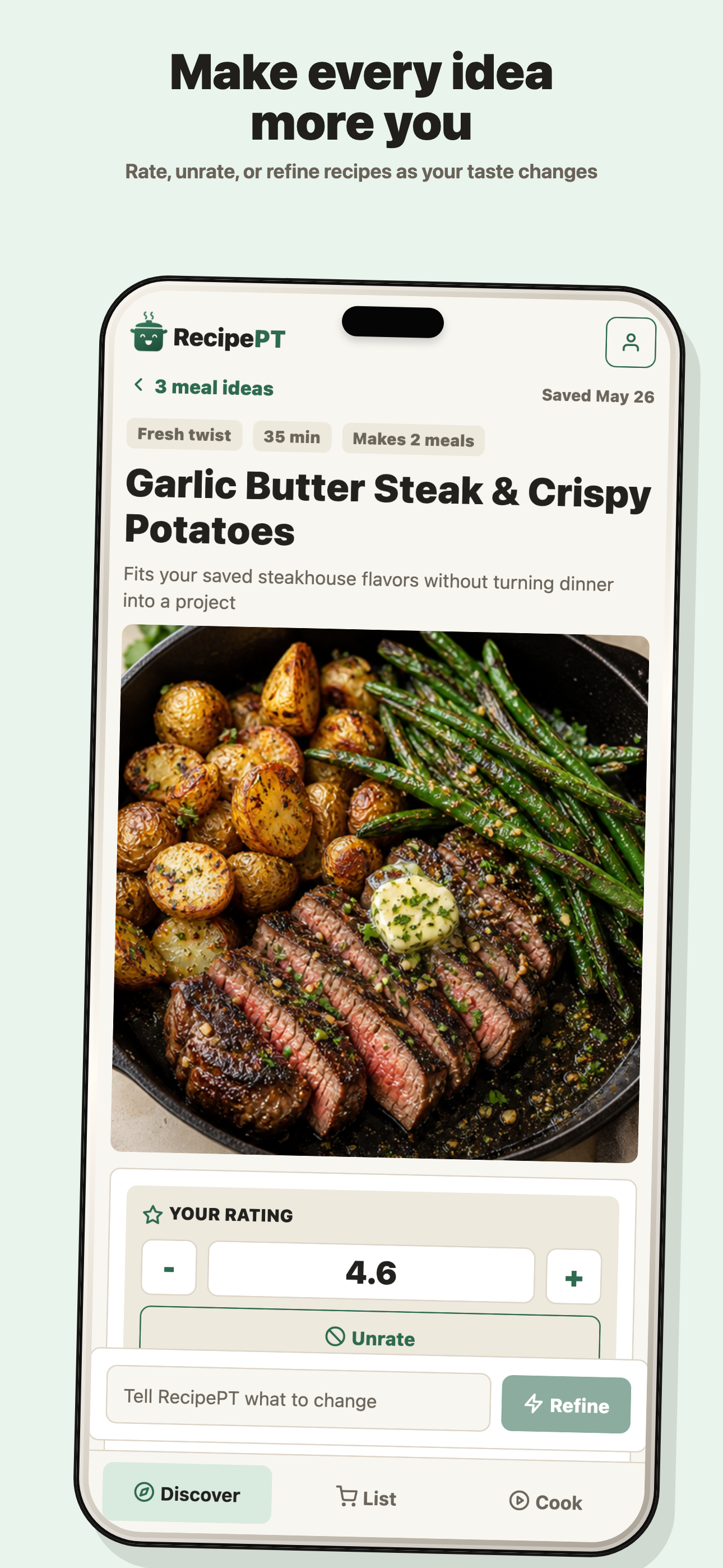
Three specifics that are worth knowing before you decide whether this model suits you:
- Exclusion happens by meaning, not by word match. A nut avoid also rules out peanut oil, satay, pesto with nuts and nut flours. A dairy avoid rules out cheese, butter, cream and yogurt, but not coconut milk. When it is unsure whether something contains an avoided food, it is built to leave it out and pick a safe alternative rather than guess.
- A bare "no pasta" is treated as session-only on purpose. It shapes that request and then lets go. To make it permanent you have to signal permanence: always, never, from now on, permanently, or remember. So one bad night with mushrooms does not quietly delete mushrooms from your dinners for the next year.
- Some picky-eater asks are one tap. Alongside the typed box there are preset asks, including "Crowd pleaser for picky eaters," "Something the kids will actually eat," and "Extra veggies without tasting like it." That last one is the hidden-vegetables ask, phrased how parents actually think about it.
The honest limits: RecipePT is iPhone only right now, and it is a paid subscription with a one-week trial, so it is not the pick if you want free. And the saved avoid list is a genuine hard filter, but no app should be your only line of defense on a serious allergy. Read the ingredients.
What should you type instead of just "no onions"?
Say what kind of no it is. "No onions" handles tonight. "Always avoid onions" makes it a rule. And when the objection is texture rather than the food itself, describe the texture: "nothing with chunks of vegetable" gets you further than banning six vegetables one at a time.
The most useful habit with any app that accepts plain language is to name the real objection. Picky eating is usually about texture, visibility or heat, not the ingredient on the label. A few phrasings that do more work than a straight ban:
- "Nothing green in visible pieces." Keeps the spinach, loses the fight.
- "Mild, kid-level mild." Better than removing every spice one by one.
- "Sauce on the side." The single highest-yield picky-eater request there is.
- "More like the last one, but plainer." Keeps what worked and dials down what did not.
That last pattern is the one that compounds. An app that remembers what you rated well can narrow toward your household's actual center over time instead of restarting from a blank filter every week, which is the argument we make in apps that learn your taste.
Let RecipePT decide tonight
Dinner ideas made for your household, minus the things nobody will eat. Say it once in plain language and it stays said. On iPhone.
Get RecipePT on iPhoneCommon questions
What is the best dinner app for picky eaters?
It depends on whether your no list is stable or changes nightly. Mealime is the best fit for one fixed household dislike list you set once. SuperCook is the best free option and lets you exclude any ingredient from results. RecipePT, which we make, is built for the case where tonight's rule is different from last night's, because you type it in plain language each time.
Is there a recipe app where you can say no onions?
Yes, in two different ways. SuperCook and Mealime let you exclude onions as a saved setting that applies to every result. RecipePT lets you type no onions into the refine box on any idea and treats it as a hard exclusion for that request only, so it does not stick to every dinner forever unless you ask it to.
Do recipe apps catch hidden ingredients like onion powder?
Filter-based apps generally match by ingredient name, so excluding onion may not remove onion powder or a soup mix that contains it. RecipePT is instructed to exclude by meaning rather than by word match, so a nut avoid also rules out peanut oil, satay, pesto with nuts and nut flours, and it leaves an ingredient out when it is unsure.
Find something good for dinner.
Browse recipes, search an ingredient, and pick something that fits tonight.
Browse recipes →